I use Claude Code every day. It writes code with me, deploys this website, and posts these articles. I trust it with a lot.
So when a story broke this month about Claude Code quietly saving passwords and API keys into a plain text file, I didn't read it as tech news. I read it as a question about me.
Did I leak anything?
I stopped what I was doing and checked. Here's what the research says, what I found on my own machine, and what I changed.
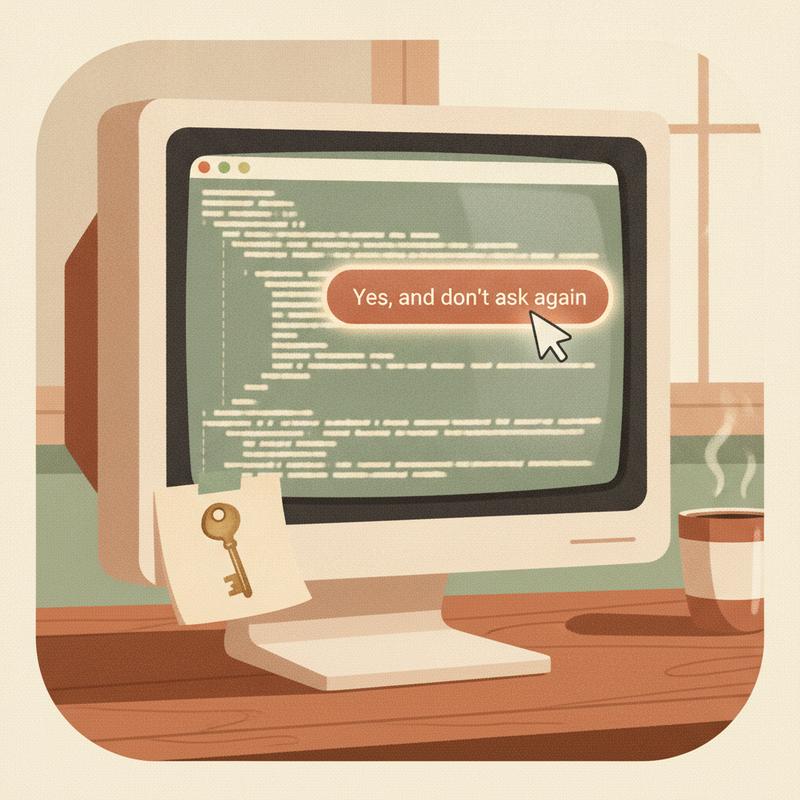
The button I click without thinking
Claude Code asks permission before it runs most shell commands. You get three choices. One of them is "Yes, and don't ask again."
I click it all the time. Everyone does. It's the button which makes the tool feel fast.
Here's the catch. When you pick it, Claude Code writes an "allow rule" into a file called .claude/settings.local.json inside your project. Sometimes the rule is a pattern, like npm test *. Sometimes it's the exact command, word for word.
If the exact command had a password or token in it, the secret goes into the file too. In plain text.
Think about how often you do this. You ask the agent to hit an API with a curl command and a bearer token in the header. You ask it to set an environment variable on a server. You click "don't ask again" because you'll run the same thing tomorrow. Now your key lives in a JSON file in your project folder, forever, and you never typed it there yourself.
How big is the leak?
Two security firms dug into this, and their numbers are ugly.
Apiiro searched public GitHub and found 104,185 copies of the file in 103,617 repositories. About 1.1% of them, 1,122 copies, held at least one secret. Together those files held 1,379 different secrets, including 379 database passwords, 43 SSH logins, 42 GitHub, GitLab and npm tokens, and 23 AWS keys. Half of the leaky files had sat on their default branch for at least 217 days.
GitGuardian ran its own scan and came back with bigger figures. It found 31,088 distinct secrets in these files across 23,276 public repositories. 5,343 of them still worked when detected. It also found 613 secrets baked into public Docker Hub images, because a COPY . . instruction in a Dockerfile doesn't care about your .gitignore.
I'm not sure about this part: why the two studies differ so much. They used different search methods and different rules for what counts as a secret, but neither write-up I read explains the gap in full.
Two details stopped me cold.
First, Apiiro traced 1,105 of the repositories and found 539 where a commit listing Claude as co-author changed the file. In other words, the agent often committed its own secrets file.
Second, the usual secret scanners miss a lot of it. Of the 1,122 leaky files, gitleaks flagged 564 and TruffleHog flagged 643. Neither tool caught 215 of them. A database password typed into a command line doesn't match a known key format, so pattern-based scanners walk right past it.
"But it's in .gitignore, right?"
Sort of. And "sort of" is the problem.
Anthropic's settings documentation says Claude Code adds the file to your global git excludes the first time it writes it. On my machine, this means one line in ~/.config/git/ignore, and git on this computer ignores the file in every repository.
It's a good default. It's also a default which lives on one machine, in one user's settings. It doesn't travel with the project. Clone the repo on a new laptop, build it in CI, copy the folder into a Docker image, or zip it up for a colleague, and the protection is gone. Commit the file once, by accident, and removing it later does nothing, because the old version sits in git history and in every fork.
This isn't new, either. Someone reported the exact behavior on GitHub in August 2025. GitGuardian reports Boris Cherny, who leads Claude Code, said the team is looking into it and prototyping built-in secret scanning. Good. I'm not waiting for it.
What I found on my own machine
I ran the audit across my development folder. Here's the honest result.
Git repositories: 14. Nobody ever committed the file in any of them. Not on any branch, not in any history. The global exclude did its job.
Project-level protection: one. Only this website's repo has settings.local.json in its own .gitignore. The other 13 rely on the global setting on this one computer. If I cloned any of them somewhere else, nothing would stop the file going in.
Secrets sitting in local files: four rules, in two files, out of 174 saved rules in total.
- Two were production config commands for a side project, with real API keys typed inline. I approved them at some point and forgot.
- Two held the API key for my file sync tool. And the folder they live in is itself synced across my devices. The file never touched GitHub, but it's been copied to every machine I sync to. Apiiro called out this exact case: synced folders, zip files, packages, images. Git isn't the only exit.
None of this went public. I got lucky, not careful. The safety net was a single line in a config file I didn't write and hadn't checked.

What I'm doing about it
Here's my checklist.
1. Find every copy
Search every project folder, not only the ones in git. Check .claude/settings.local.json and the shared .claude/settings.json. If you run GitHub for a team, search the whole organization, and check git history for files which no longer exist.
2. Rotate first, clean up second
Both research teams say the same thing. If a secret landed in one of these files and the file ever left your machine, treat the secret as burned. Change the password. Revoke the token. Deleting the line doesn't un-leak anything.
3. Delete the secret rules
Open the file and remove every rule with a secret in it, even if it never left your laptop. It's plain JSON. Malware goes looking for exactly this kind of file. The Shai-Hulud worm in 2025 ran a secret scanner over developer machines it infected.
4. Put the file in the project's own .gitignore
Add .claude/settings.local.json to .gitignore in every repo. Add it to .dockerignore too. Don't trust a protection which lives on one laptop.
5. Keep secrets out of commands
This is the habit change. Store keys in environment variables or a secrets manager and refer to them by name, like $API_KEY. Then the saved rule holds the variable name, not the value. And approve patterns, like Bash(npm run:*), instead of one-off commands.
The bigger lesson
I don't blame the tool for this. I blame the click.
"Don't ask again" is a promise to stop thinking. I made it hundreds of times and never once asked what the tool remembered on my behalf. The agent did exactly what I told it to. I didn't read the fine print, because the fine print was a file I'd never opened.
AI coding tools move faster than the habits around them. The fix isn't to stop using them. I'm not going to stop. The fix is to look under the hood once in a while and check what you've handed over.
So here's my challenge. Before you close this tab, open a terminal and run one search for settings.local.json across your projects. Open what you find. Read every line.
What's sitting in yours?